Back to Shop
How to Log In to Telegram Account
📱
How to Log In to a Telegram Account Using OTP
To log in to your Telegram account using OTP, follow these simple steps:
1. Copy the phone number
Get the phone number from your order page or order history.
2. Open Telegram
Launch the Telegram app on your device and start the login process.
3. Request OTP from Telegram
After entering the number in the Telegram app, Telegram will ask for a verification code (OTP).
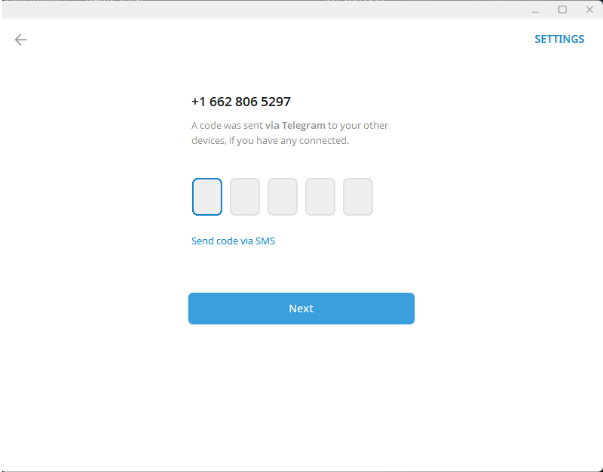
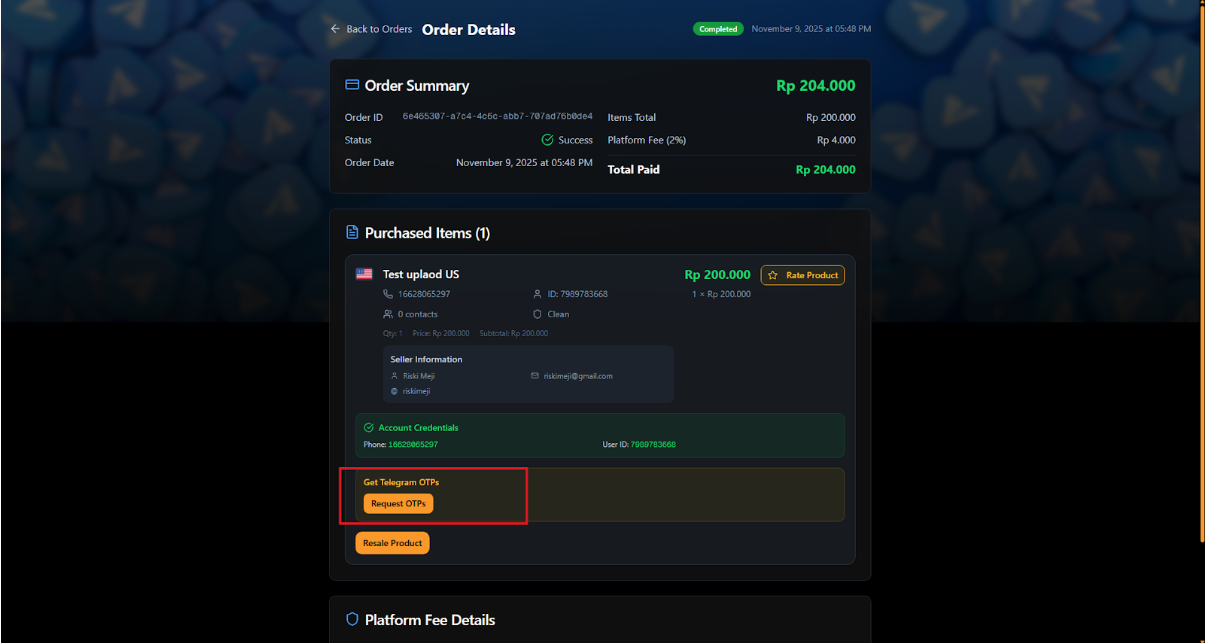
4. Go back to the website and click "Request OTPs"
On the product page, click "Request OTPs" to trigger the code, then click "Get Telegram OTPs" to display the incoming OTP.
5. Check the latest OTP
The newest OTP will always appear at the top. Make sure you check the date and time to ensure it's the latest code.
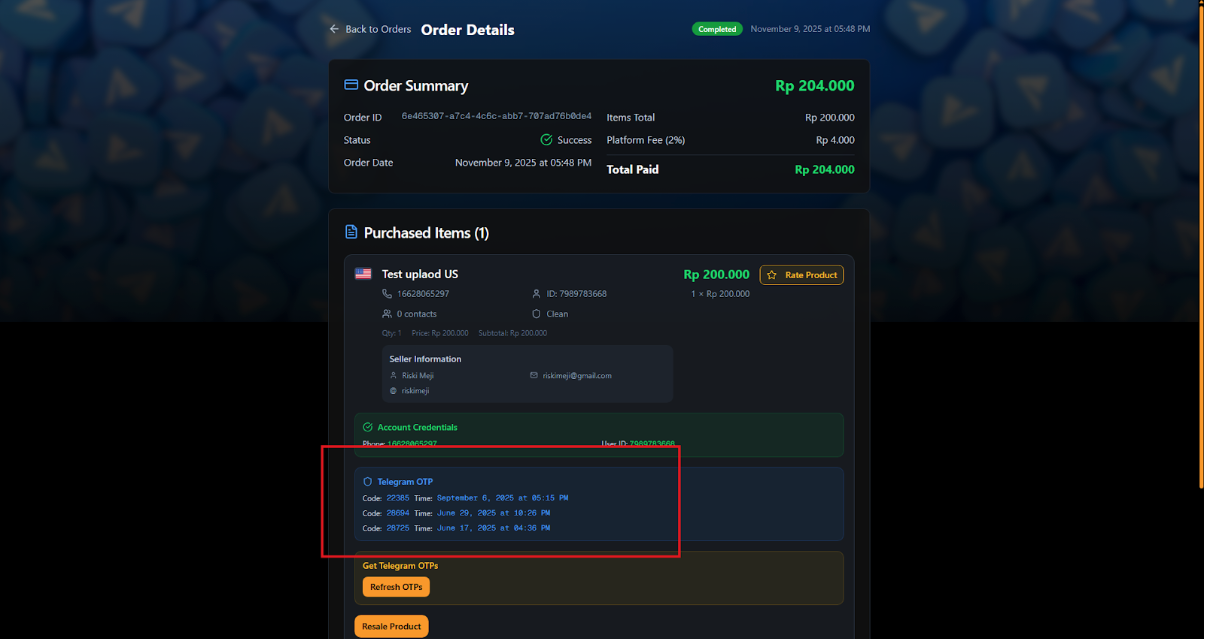
6. Enter the OTP in Telegram
Input the correct code in the Telegram login window to complete the login.
7. If no OTP arrives
If Telegram doesn't send any OTP after requesting it, use the TData login method as an alternative.
Last updated: October 16, 2025